|
The SWE4 module is intended to work with OWFS but may well also work with other software that supports the DS2413. Please let us know if you find other software it works with and we'll update this page. If you only intend to use your SWE4 for inputs or active low outputs then it will work in parasitic power mode. If you are using the active high outputs then you will need to ensure the module has a 5V feed. If you are using one our RPI2 or RPI3 host adapters this will provide the power required, if not you could consider using one of our SWE5 power injector modules to provide it. The pins A1 and B1 are directly connected to the DS2413 and can be used either as a switched input or active low output (20mA max). The pins A2 and B2 are fed from this output via a PNP transistor to provide a 5V active high output which can supply up to about 500mA if there is sufficient power available on your 1-Wire network. To use an SWE4 channel as an input you need to use the GND terminal and terminal 1 of the channel you are using (i.e. A1 or B1). You can read the status of the input in OWFS as follows:
To use an SWE4 channel as an active low output use the A1 or B1 connection and the following commands:
To use an SWE4 channel as a 5V output connect your 5V device between pin A2 (or B2) and GND and use the following commands:
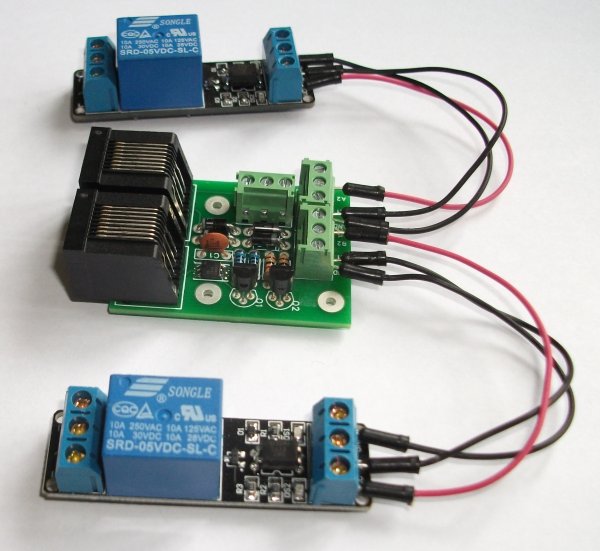
If you're wishing to use the SWE4 with the Relay Module we sell then we recommend you connect the "GND" and "IN" pins on the relay module to the GND pin on your SWE4 and the "VCC" pin on the relay module to the A2 or B2 pin on your SWE4. This will then turn the relay on when you write "1" to either PIO.A or PIO.B as above. See this image for a photo of two relay modules connected to an SWE4. |